
Duration Rules
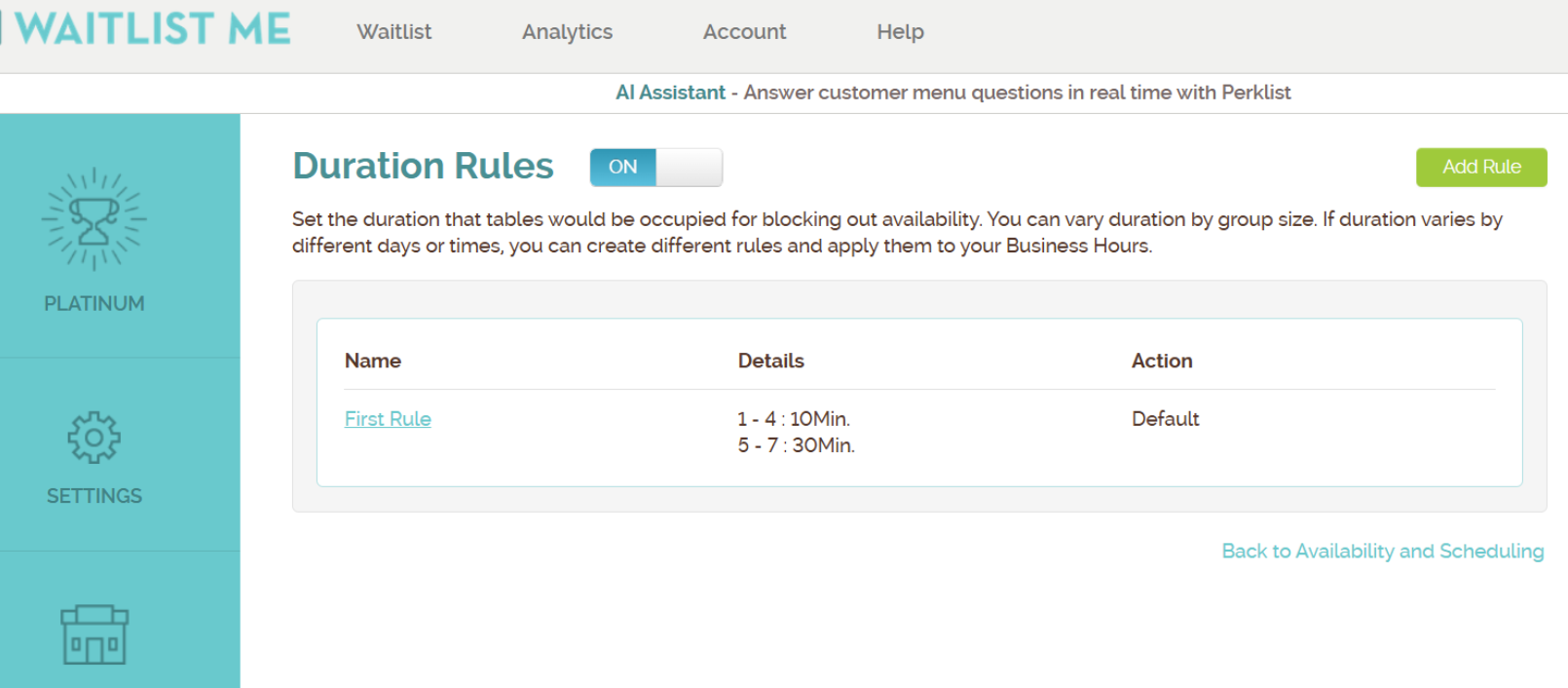
Set the duration of time that parties occupy tables
Duration Rules allow businesses using Advanced Scheduling Rules to control how long a table is reserved for a party based on party size or predefined durations. This ensures accurate table turnover, prevents overlaps, and helps the system make reliable availability decisions during self-scheduling.
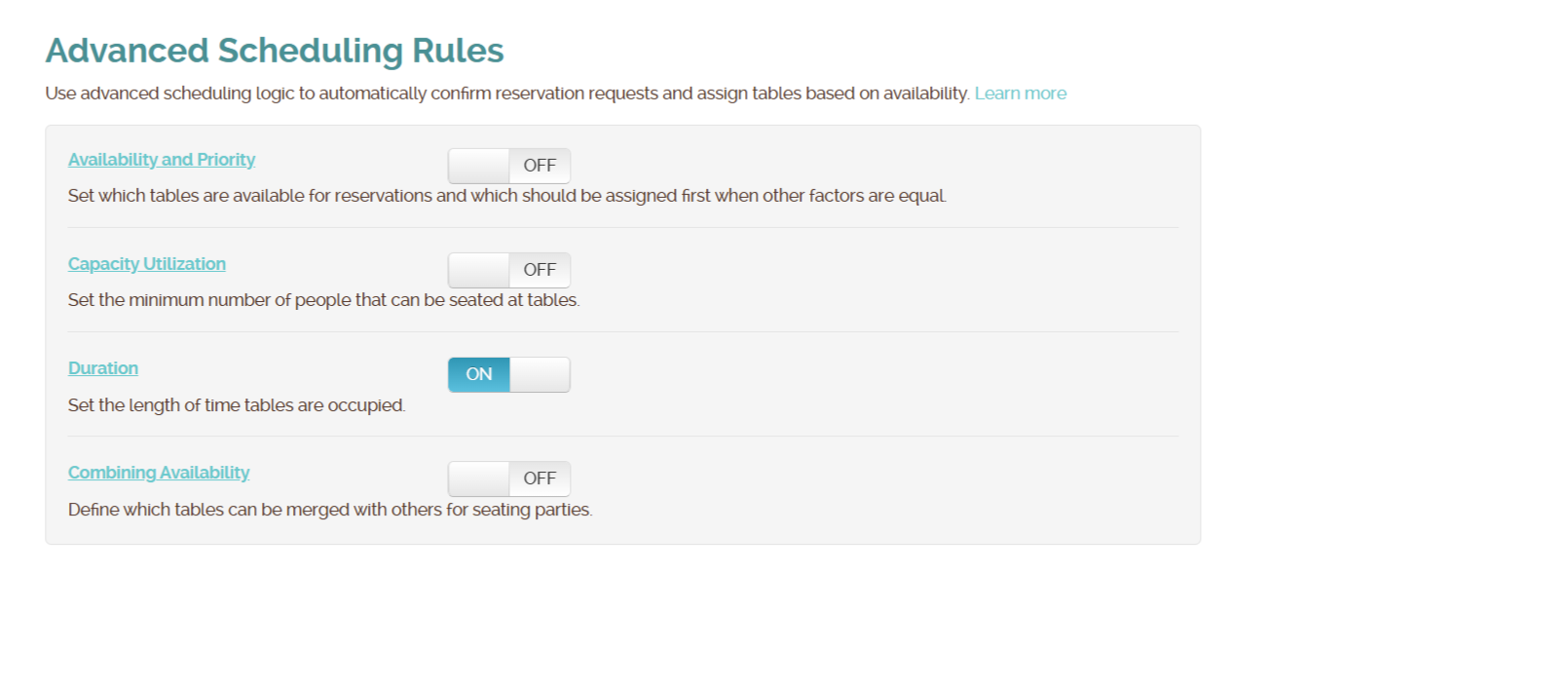
Duration Rules work together with Table Management and Capacity Utilization to automatically assign tables and calculate availability without requiring manual intervention from staff.
How Duration Rules Work
When a customer attempts to book a reservation through self-scheduling:
- The system identifies the party size.
- The applicable duration rule is applied.
- The table is blocked for the calculated duration.
- Availability checks ensure no overlapping reservations occur.
- If no suitable table is available for the full duration, the requested time is shown as unavailable.
Duration rules apply uniformly across the entire day or can vary by time of day.
Time‑Based Duration Rules
Duration rules can be configured for different time periods within the same day (for example, lunch vs dinner). This is done by creating multiple duration rules and assigning them to specific time blocks in the Business Hours settings.
This allows businesses to apply shorter table times during lunch and longer dining times during dinner or special service periods.
Duration Rules can be accessed when logged into the Waitlist Me website and going to: Settings → Add Yourself → Availability & Scheduling → Advanced Scheduling Rules → Duration
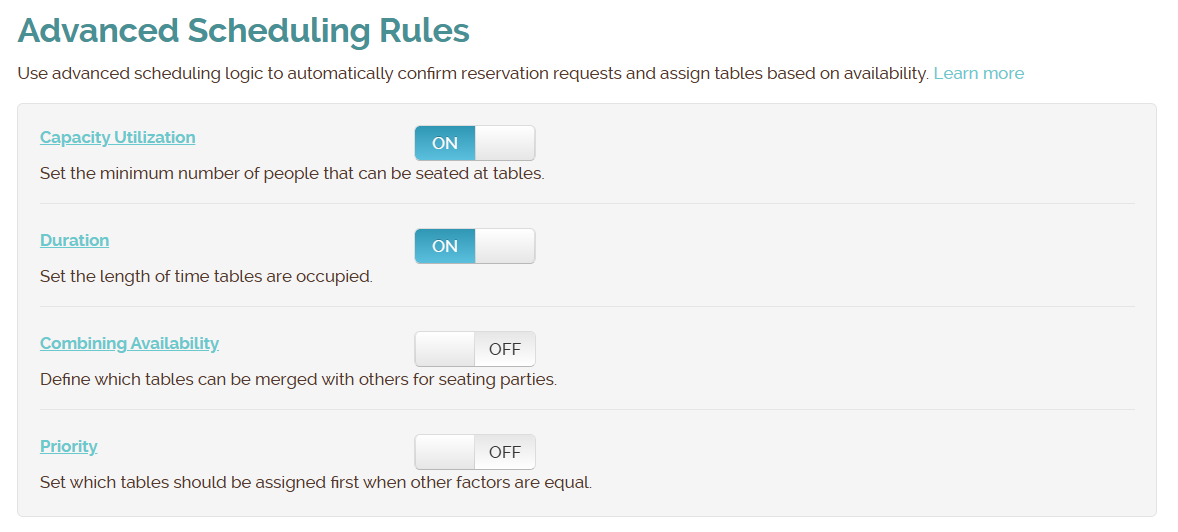
Duration Rule Setting Options Example
- Enable / Disable Duration Rules
- Define duration ranges by party size:
- 1–4 guests → 30 minutes
- 5–6 guests → 60 minutes
- 7+ guests → 90 minutes
Configure Time‑Based Duration Rules
- Create separate rules for each service period
Lunch Rule:- 1–4 guests → 45 minutes
- 5–8 guests → 60 minutes
- 1–4 guests → 90 minutes
- 5–8 guests → 120 minutes
- 11:00 AM – 3:00 PM → Lunch duration rule applied
- 5:00 PM – 10:00 PM → Dinner duration rule applied
- Assign Rules in Business Hours
Example:- 11:00 AM – 3:00 PM → Lunch Duration Rule
- 5:00 PM – 10:00 PM → Dinner Duration Rule
Real-Time Example
Emma books a table for 4 guests at 7:00 PM. - The system assigns a suitable table. The table is blocked from 7:00–7:30 PM. Also It will block other slots as well which can overlap this timeslot because of the duration rule.
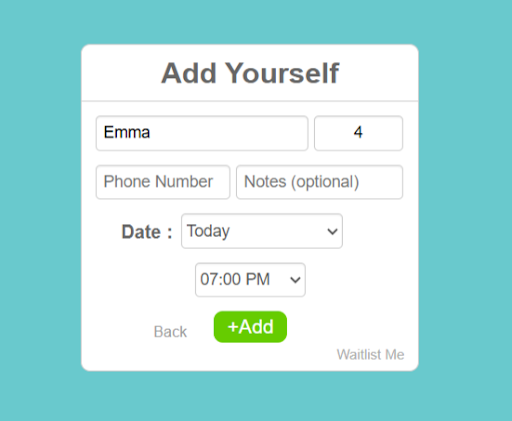
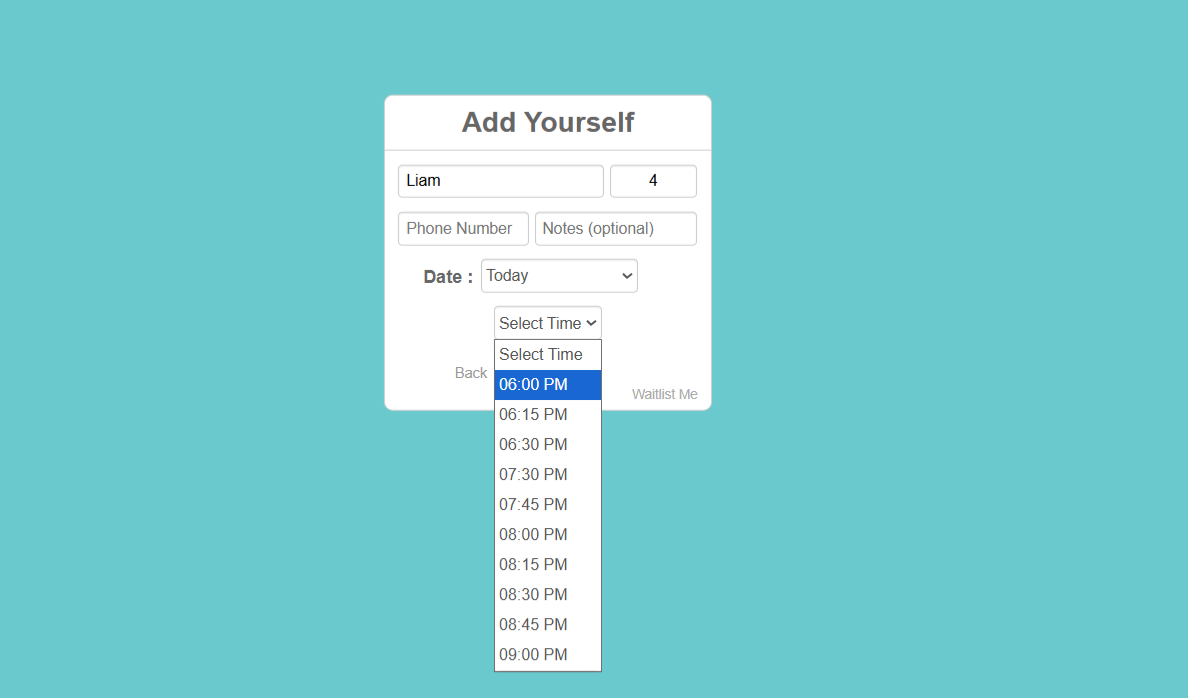
Another customer, Liam, attempts to make a request and as soon as he enters size the system will start checking available slots and shows only available time in the time dropdown. As 7:00–7:30 PM is already booked, the system will not show other slots between 6:30 to 7:30 PM – as it will overlap the booked time.
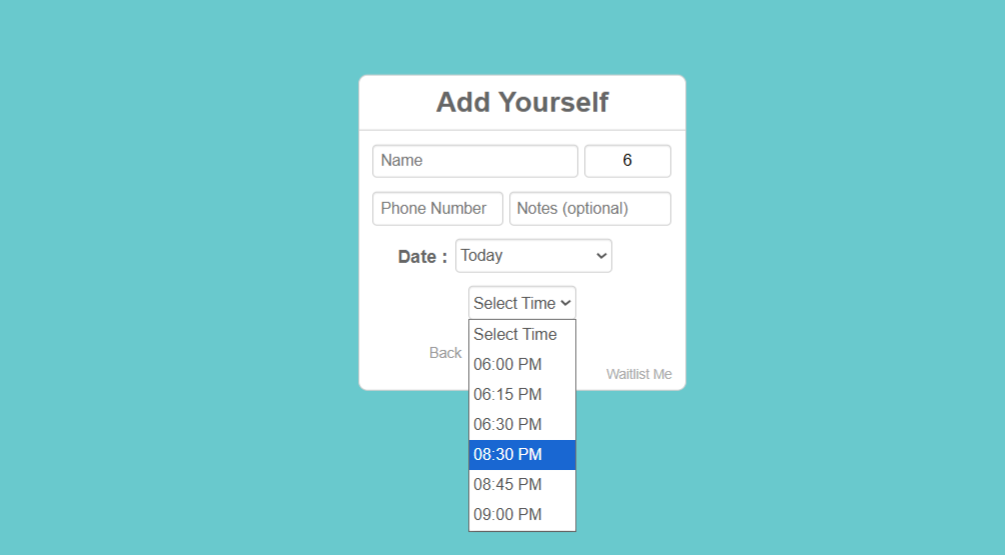
Noah books a table for 6 guests at 7:30 PM. A suitable table is assigned. The table is blocked from 7:30–8:30 PM.
Different Durations for Lunch vs Dinner
If a restaurant wants faster turnover during lunch but customers stay longer at tables at dinner, they would create separate duration rules for Lunch and Dinner.
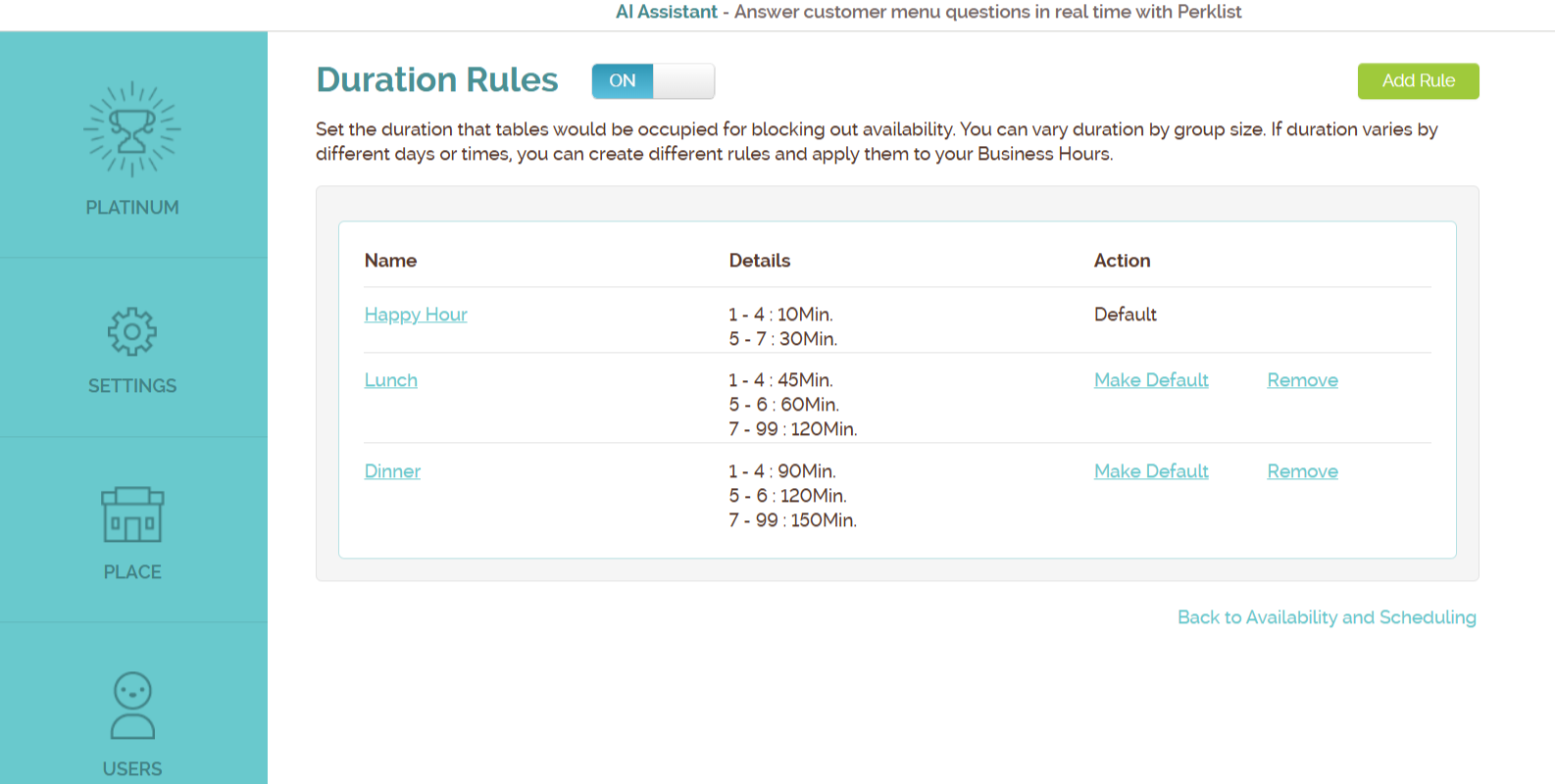
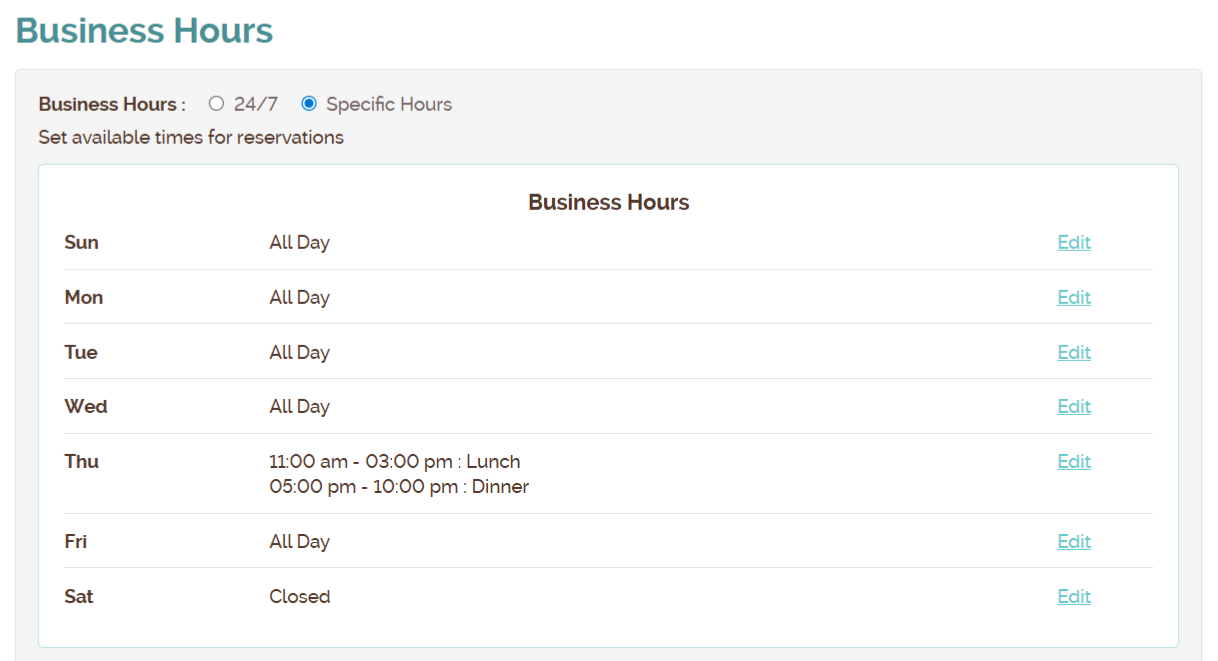
Then to apply these rules, they would go to Business Hour settings and:
- Assign lunch rule to Business Hour 11 AM–3 PM
- Assign dinner rule to Business Hour 5 PM–10 PM
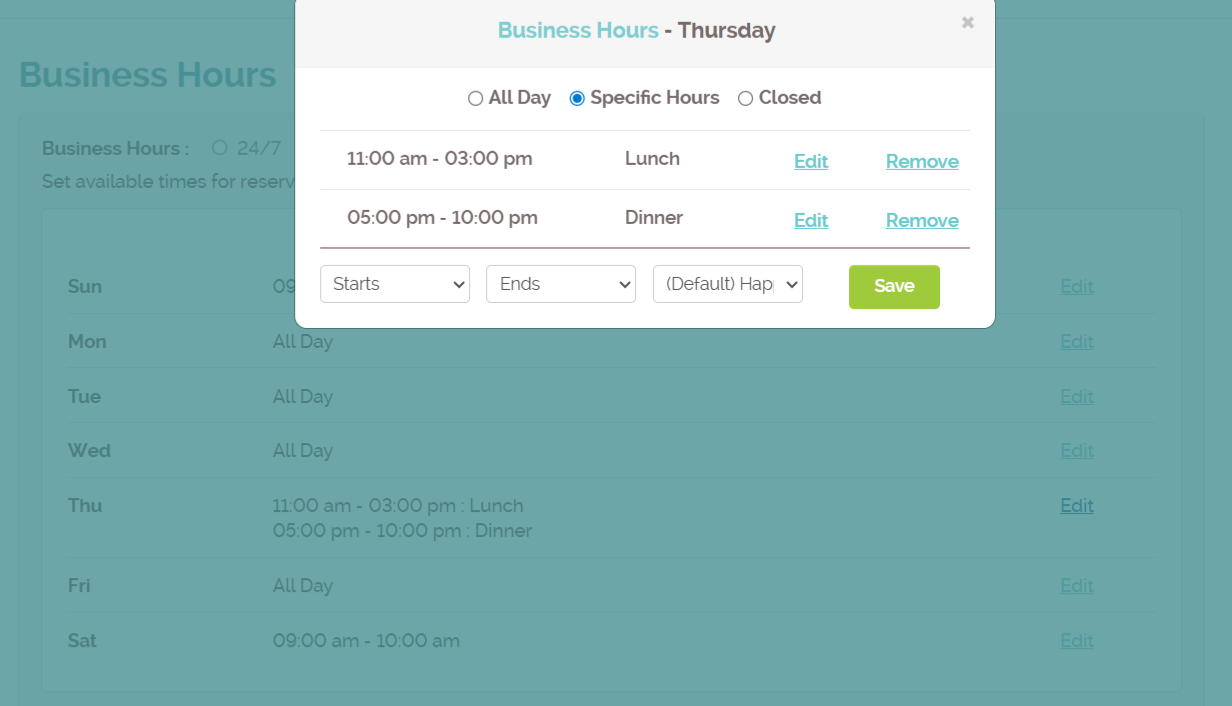
And this is how the rules would look in the Business Hour settings
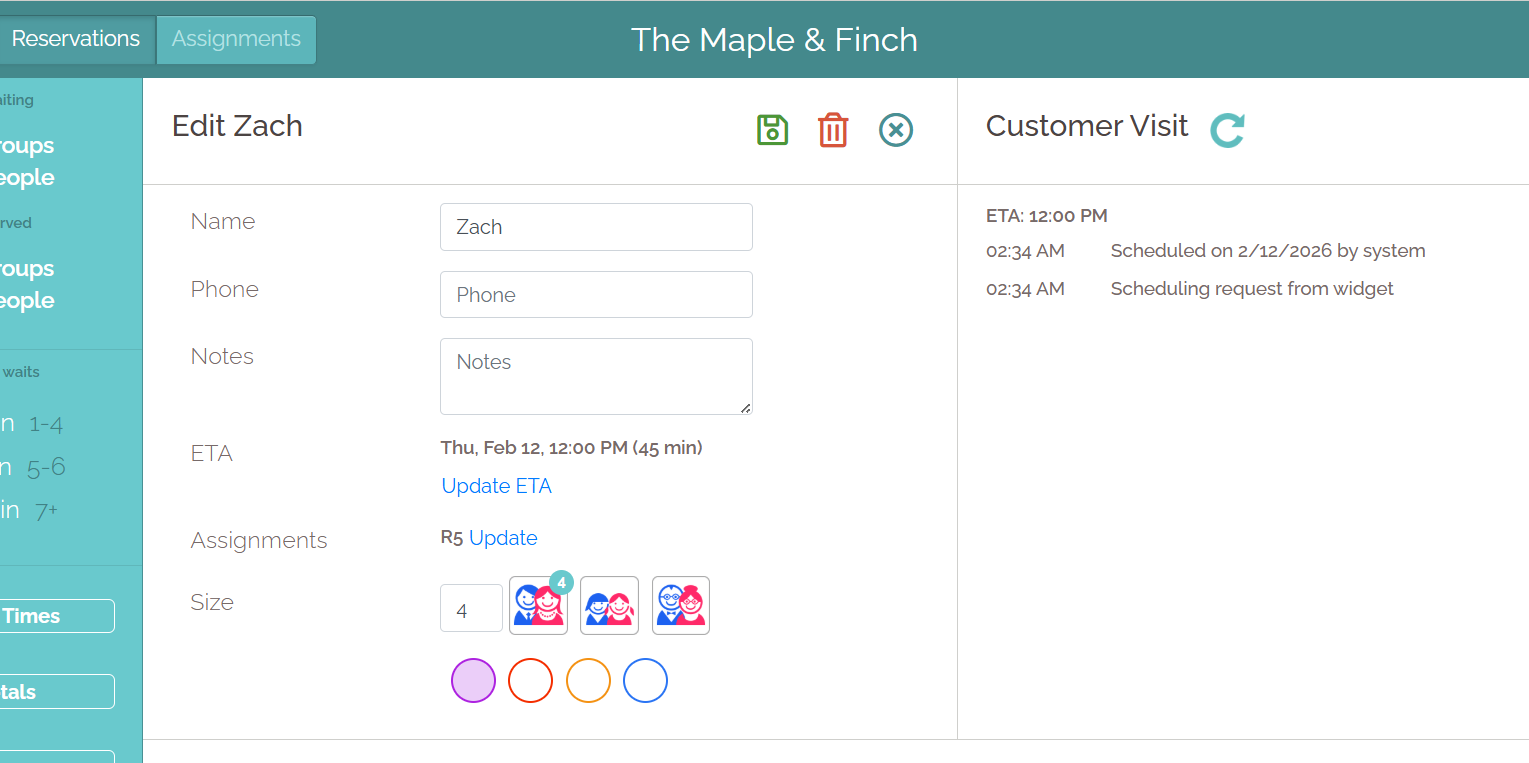
Here is another example, where Zach books a table for 5 guests at 12:00 PM.
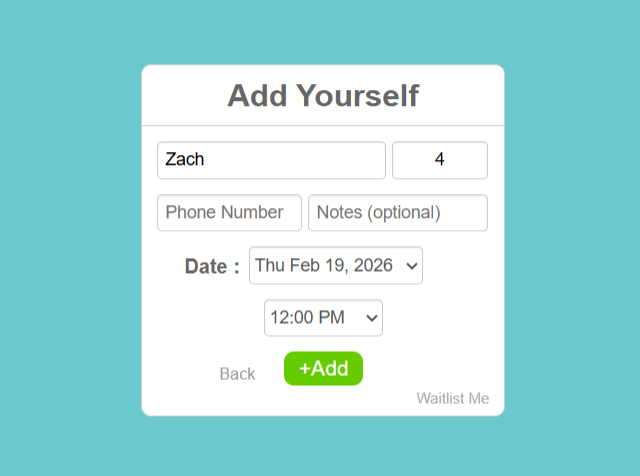
A suitable table is assigned, and the table is blocked for 45 minutes from 12 PM-12:45 PM. The system automatically blocks tables using the correct duration based on both party size and time of day.
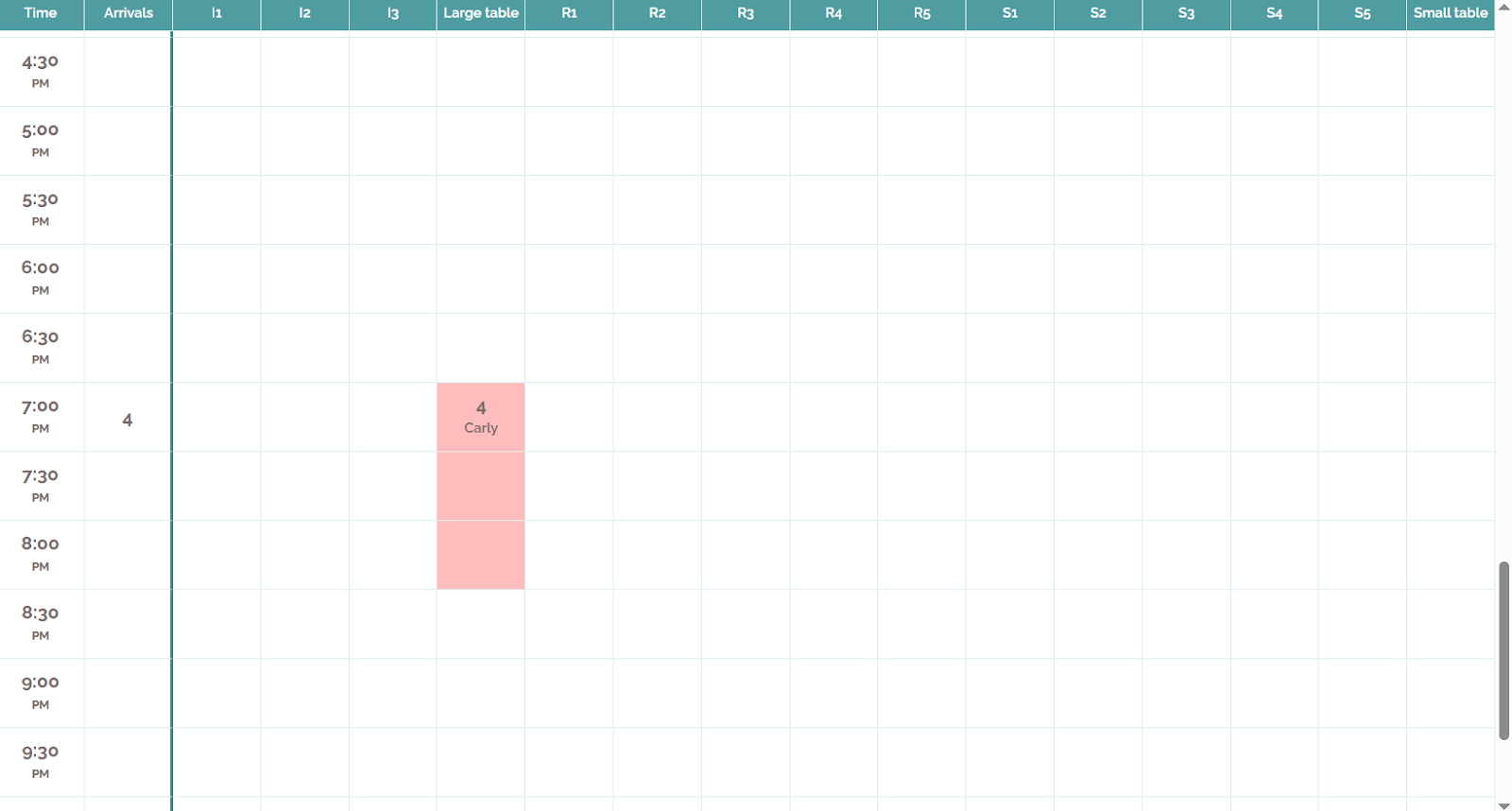
In another scenario, Carly books a table for 4 guests at 07:00 PM for dinner.
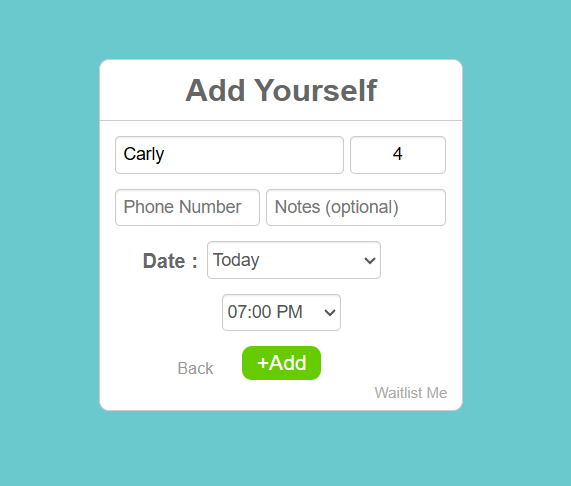
A table is booked for 07:00 pm - 08:30 pm (90 minute as per duration rule set in business hour).
Why Duration Rules Matter
Duration Rules ensure that availability shown to customers matches the real capacity of the business, even during the busiest periods. They improve business results by:
- Preventing double bookings
- Reflecting realistic dining times
- Improving guest experience
- Reducing staff workload
- Enabling reliable self-scheduling